Guided screenshots, not live forms. Fictional public-demo data. No production account, live AI, email delivery or money movement.
Matter context Step 7 of 33
Read the activity trail before progressing
Your action
Review the recorded document and time activity. Scroll to Current stage: Matter work and click View / edit steps.
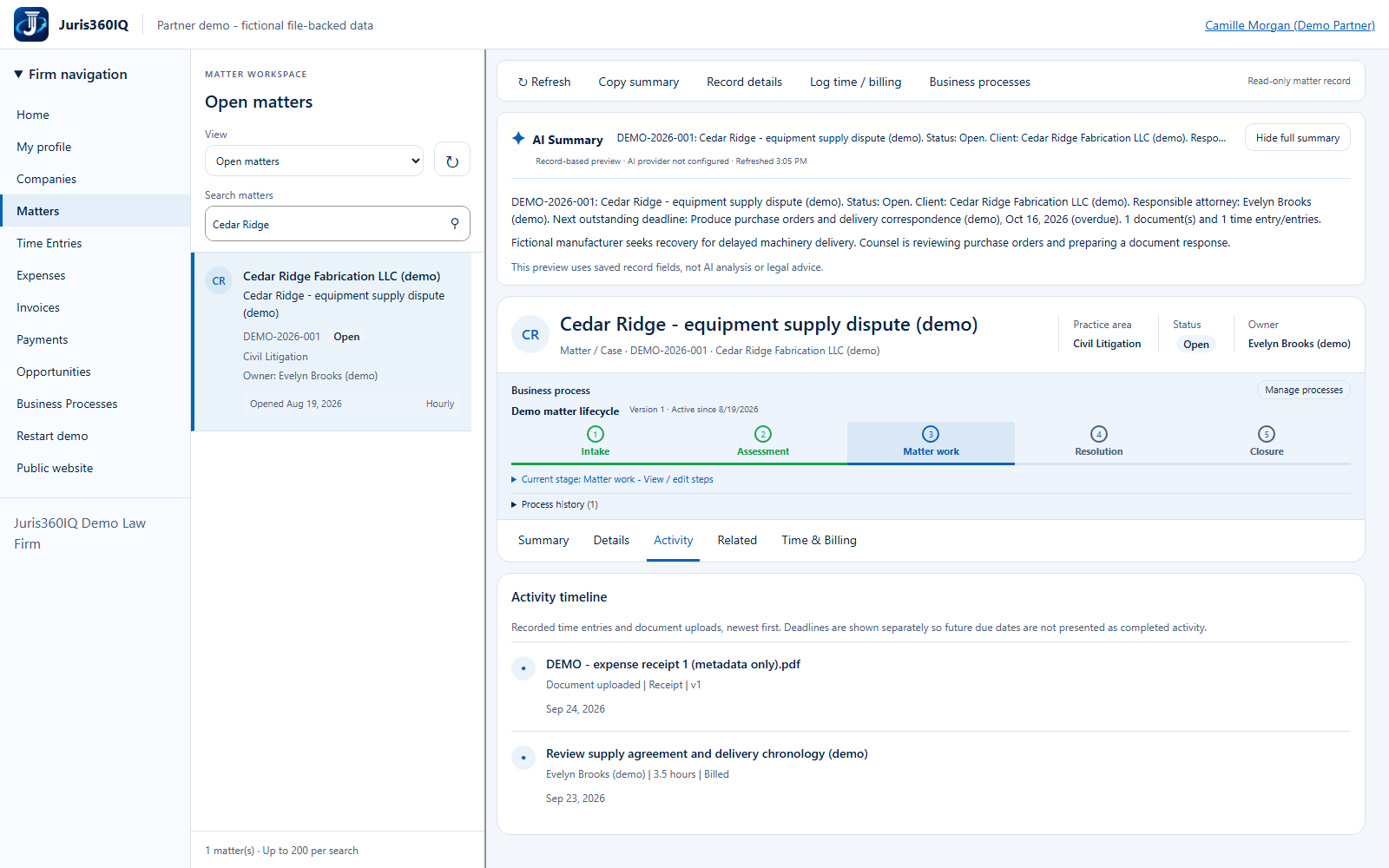
Highlighted controls
- Review Activity
- Open the current-stage checklist
Value to the firm
A visible history helps a lawyer understand prior work and coordinate a handoff without reconstructing it from memory.
Presenter notes: purpose, business value and limitations
The timeline shows previously recorded fixture activity, not a new email send or document upload. Future deadlines belong in the deadline view, not this historical timeline. The next step opens the existing business-process checklist.
Business value: A visible history helps a lawyer understand prior work and coordinate a handoff without reconstructing it from memory.