Skip to walkthrough

Guided screenshots, not live forms. Fictional public-demo data. No production account, live AI, email delivery or money movement.

From morning review to a reconciled invoice

A day in the life of a lawyer

Follow Camille Morgan, a fictional law-firm partner, through the Cedar Ridge equipment-supply dispute: review the file, guide the work, capture time and costs, then reconcile billing.

Start the guided demo

33 real captured screens, with red click/input highlights, action instructions, rejected-input explanations and presenter notes.

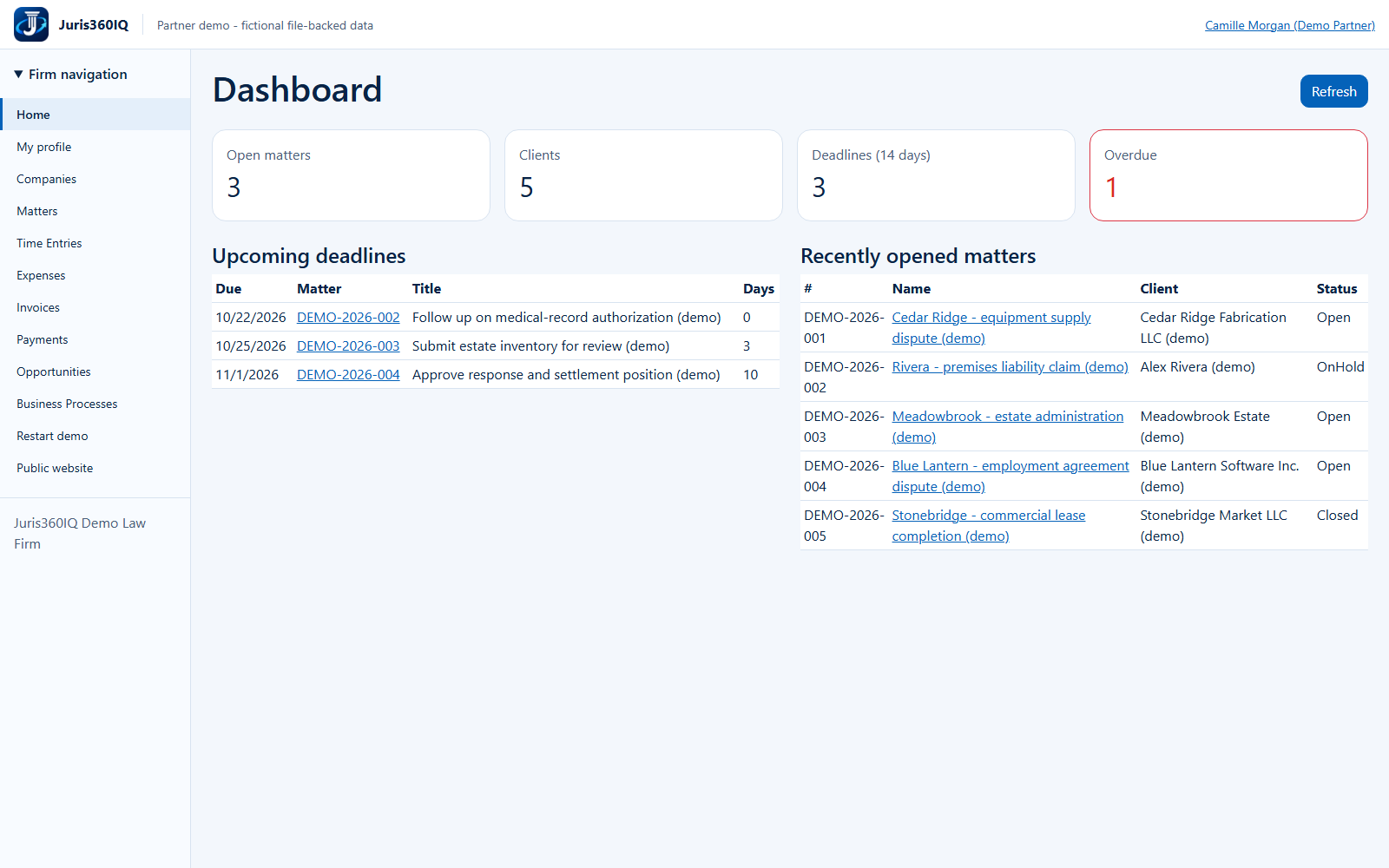
The actual fictional Juris360IQ dashboard with matters, deadlines and overdue work Click Here to begin

How to use it

Read each action, then click the red Click Here callout or highlighted control. The arrow points to the actual screen location. Input fields are screenshots: the next step shows the demonstrated entry rather than accepting typed data.

Previous and Next links work without JavaScript. On a small screen, scroll horizontally across a screenshot. Expand Presenter notes for the screen's purpose, business value and limitations.

The complete billing loop

1.25 hours × $350 = $437.50
Plus an $85 courier expense = $522.50.
Invoice DEMO-2026-0006 was issued, a $522.50 fictional receipt was recorded, and the invoice reached Paid / $0 balance.

Three genuine rejected actions are included: a missing workflow confirmation, a missing timekeeper and an excessive receipt.

What is not simulated as real

The source session used shared application screens with private, temporary fictional data. It did not use the real development firm, SQL, a live AI provider, electronic delivery or a payment gateway.

Advancing a process did not clear the overdue deadline, close the legal matter or establish a legal outcome. The separate intake-triage module is outside this matter-to-receipt story.

Choose a chapter or follow all steps

The walkthrough

Morning review

  1. Begin the day: deadlines before inbox
  2. Find the right client matter
  3. Review the matter, owner and risk flags

Matter context

  1. Read the summary with its provenance
  2. Check the recorded engagement and facts
  3. Review related evidence and people
  4. Read the activity trail before progressing

Guided work

  1. A required checklist is a progression gate
  2. Rejected: required work has not been confirmed Validation example
  3. Save the completed-stage confirmation
  4. Verify the recorded move to Resolution

Client service

  1. Confirm the client before recording work

Time capture

  1. Capture work while the details are fresh
  2. Enter time against the correct matter
  3. Rejected: select who performed the work Validation example
  4. Save the corrected time entry
  5. Review the saved Draft before approval
  6. Verify Approved time is ready for billing

Expense capture

  1. Keep matter costs with the file
  2. Enter the reimbursable courier cost
  3. Review and approve the saved expense
  4. Verify the cost is invoice-eligible

Billing review

  1. Build an invoice from reviewed work
  2. Choose the matter, preparer and dates
  3. Review selected work and the exact total
  4. Inspect the saved invoice before issuing
  5. Issued in the ledger does not mean emailed

Receipts and reconciliation

  1. A receipt must match the outstanding invoice
  2. Rejected: the receipt exceeds the balance Validation example
  3. Record only the amount actually received
  4. Verify the acknowledged receipt
  5. Reconcile the invoice to a zero balance

End-of-day review

  1. End the day with an honest handoff