Guided screenshots, not live forms. Fictional public-demo data. No production account, live AI, email delivery or money movement.
Morning review Step 1 of 33
Begin the day: deadlines before inbox
Your action
Review Open matters, Overdue and Upcoming deadlines. Click Matters in the left navigation.
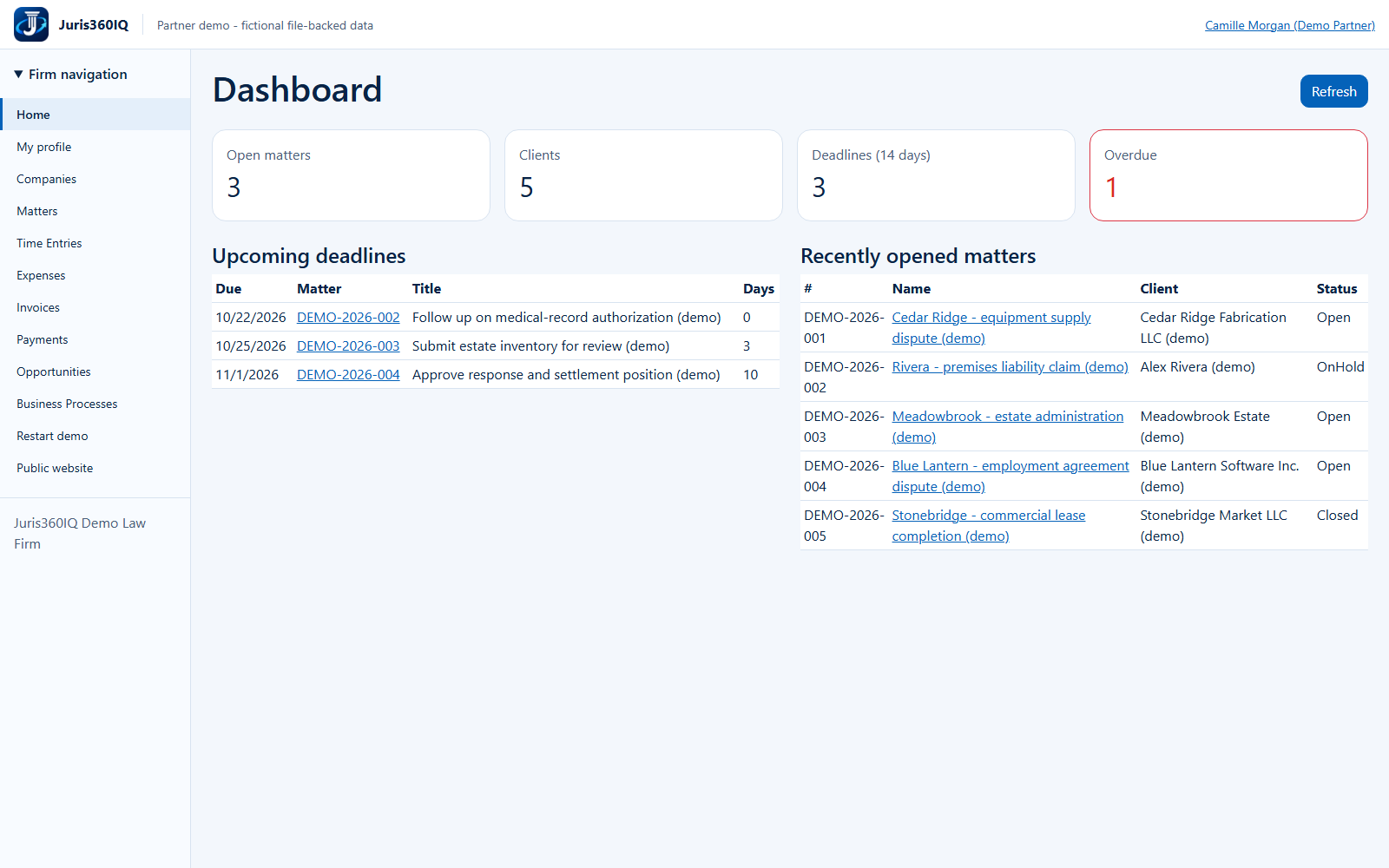
Highlighted controls
- Review the workload and overdue count
- Open Matters
Value to the firm
One consolidated view helps the lawyer prioritize time-sensitive work and spot overdue follow-up.
Presenter notes: purpose, business value and limitations
This is the actual anonymous public Partner demo, using five fictional matters and a private temporary browser session. Camille Morgan is a simulated partner; the workflow does not sign into the real development firm. Review deadlines first, then open the Cedar Ridge hourly matter. Dashboard counts are fixture examples, not production analytics. A highlighted overdue count is a prompt for review, not a guarantee that a legal deadline has been validated.
Business value: One consolidated view helps the lawyer prioritize time-sensitive work and spot overdue follow-up.