Guided screenshots, not live forms. Fictional public-demo data. No production account, live AI, email delivery or money movement.
Morning review Step 2 of 33
Find the right client matter
Your action
Keep View set to Open matters. Enter Cedar Ridge in Search matters, then click the search icon.
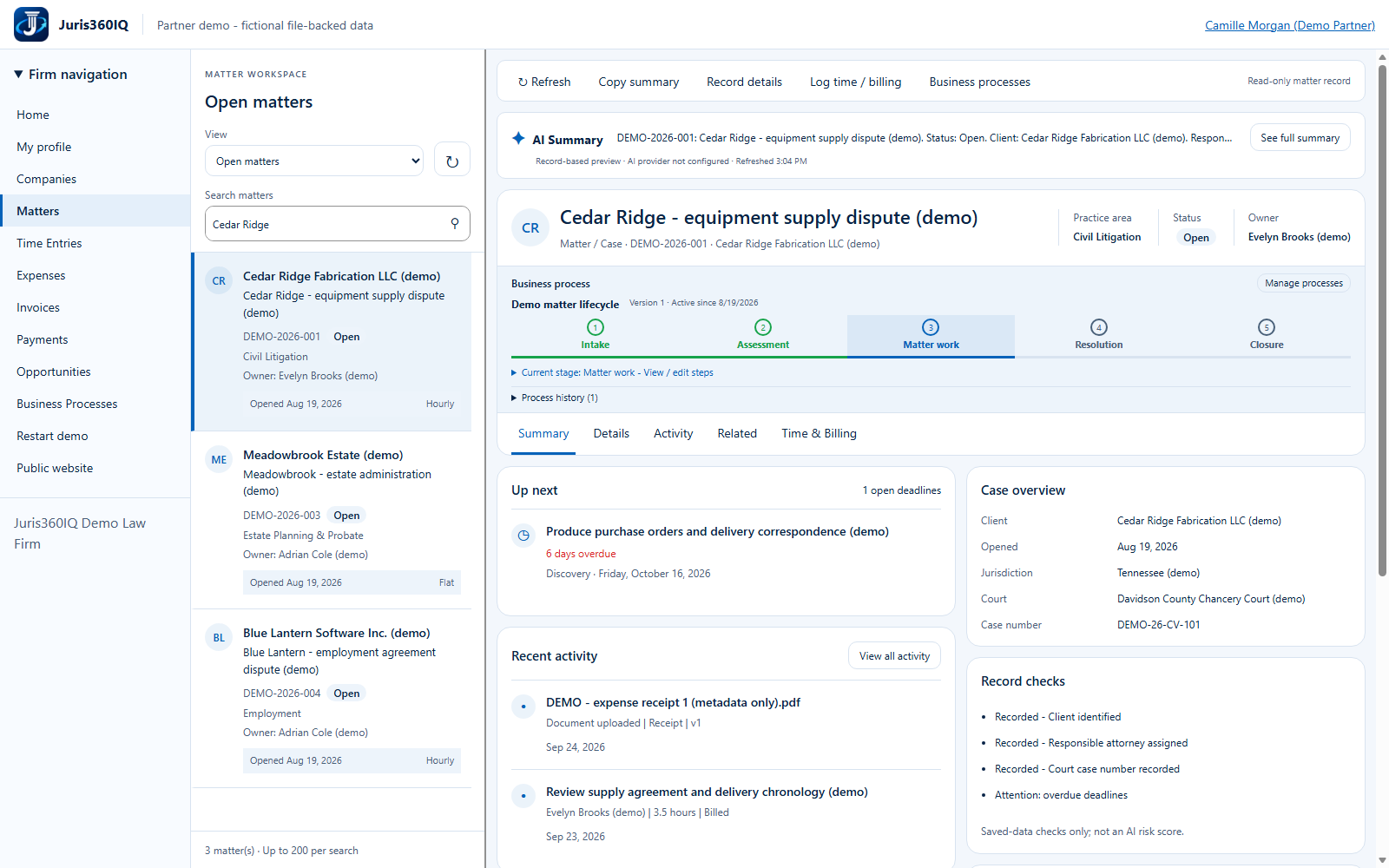
Highlighted controls
- Enter Cedar Ridge
- Run the search
Value to the firm
A focused search reduces time spent browsing and lowers the risk of recording work against the wrong matter.
Presenter notes: purpose, business value and limitations
The actual search accepts a matter name, number or client. We use Cedar Ridge and keep the Open matters filter. Searching does not create a new case or change any client record.
Business value: A focused search reduces time spent browsing and lowers the risk of recording work against the wrong matter.