Guided screenshots, not live forms. Fictional public-demo data. No production account, live AI, email delivery or money movement.
Matter context Step 4 of 33
Read the summary with its provenance
Your action
Read the expanded summary and the Record-based preview / AI provider not configured notice. Click Details.
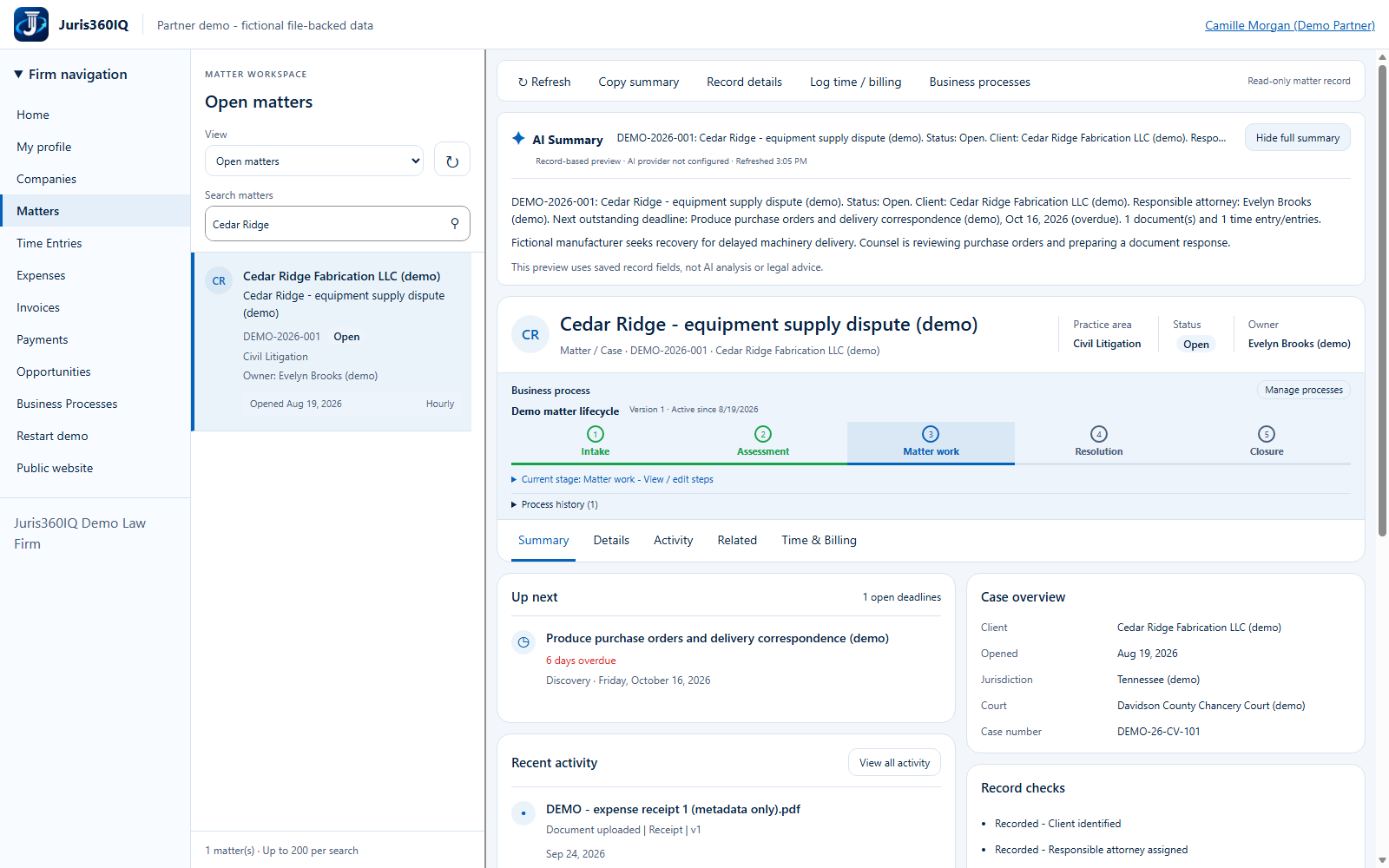
Highlighted controls
- Saved-record preview, not live AI
- Open Details
Value to the firm
A concise record-derived overview speeds orientation while provenance prevents a user from mistaking an unconfigured preview for legal analysis.
Presenter notes: purpose, business value and limitations
The AI Summary label is part of the actual screen. For this public demo the content is generated from saved fixture fields, not a live model. The lawyer must verify the underlying record and use professional judgment. No legal advice, live inference, document extraction or external research is represented here.
Business value: A concise record-derived overview speeds orientation while provenance prevents a user from mistaking an unconfigured preview for legal analysis.