Guided screenshots, not live forms. Fictional public-demo data. No production account, live AI, email delivery or money movement.
Matter context Step 5 of 33
Check the recorded engagement and facts
Your action
Review the read-only matter facts and billing terms. No data entry is requested on this screen. Click Related.
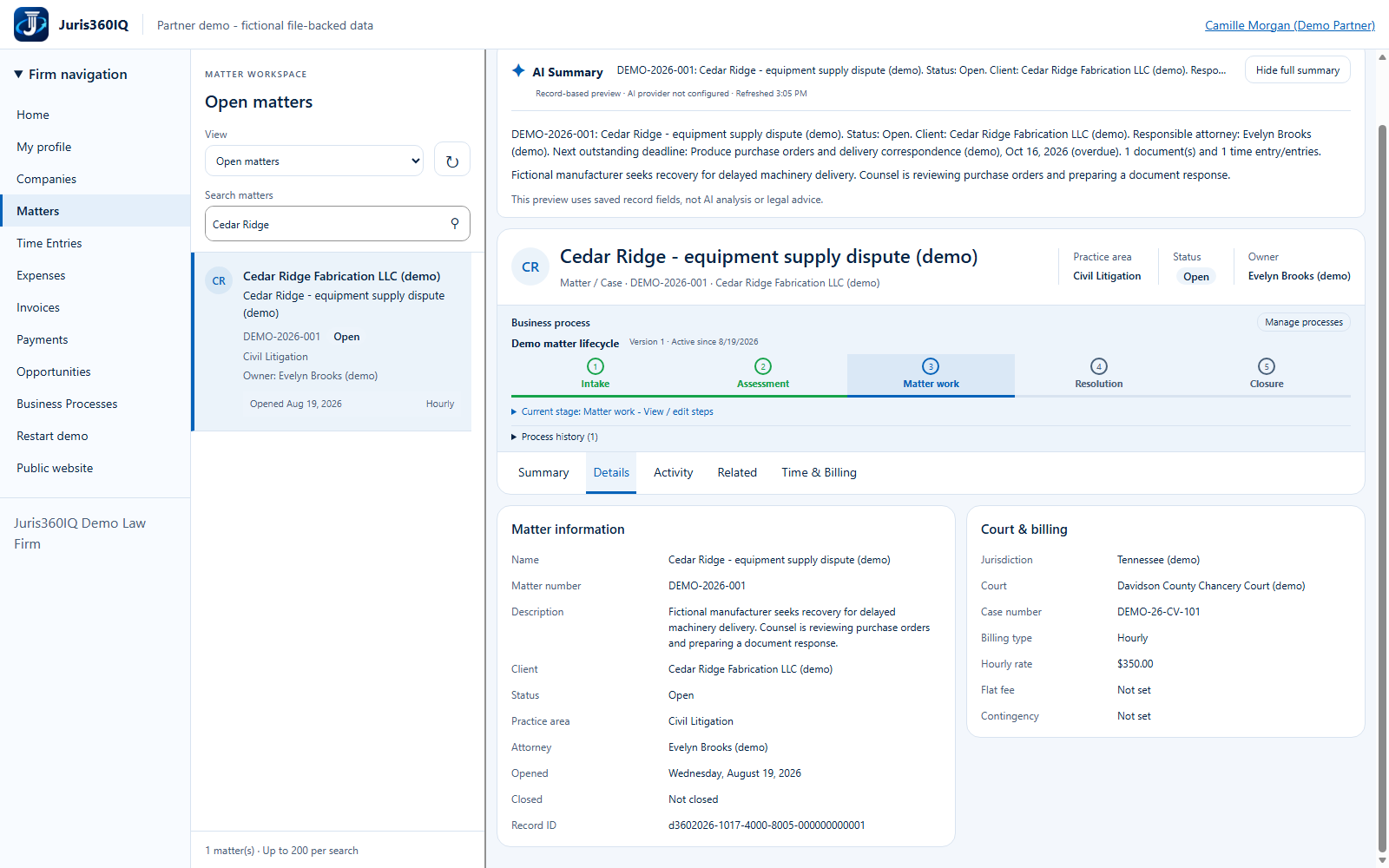
Highlighted controls
- Details is the selected record tab
- Open related records
Value to the firm
A common source for engagement terms and case identifiers reduces duplicate lookup and inconsistent recollection.
Presenter notes: purpose, business value and limitations
Details shows recorded facts rather than editable client intake. It does not amend the engagement, recalculate a contingency, verify a court docket or update legal deadlines. Use the recorded $350 hourly rate when entering the example work later.
Business value: A common source for engagement terms and case identifiers reduces duplicate lookup and inconsistent recollection.