Guided screenshots, not live forms. Fictional public-demo data. No production account, live AI, email delivery or money movement.
Time capture Step 14 of 33
Enter time against the correct matter
Your action
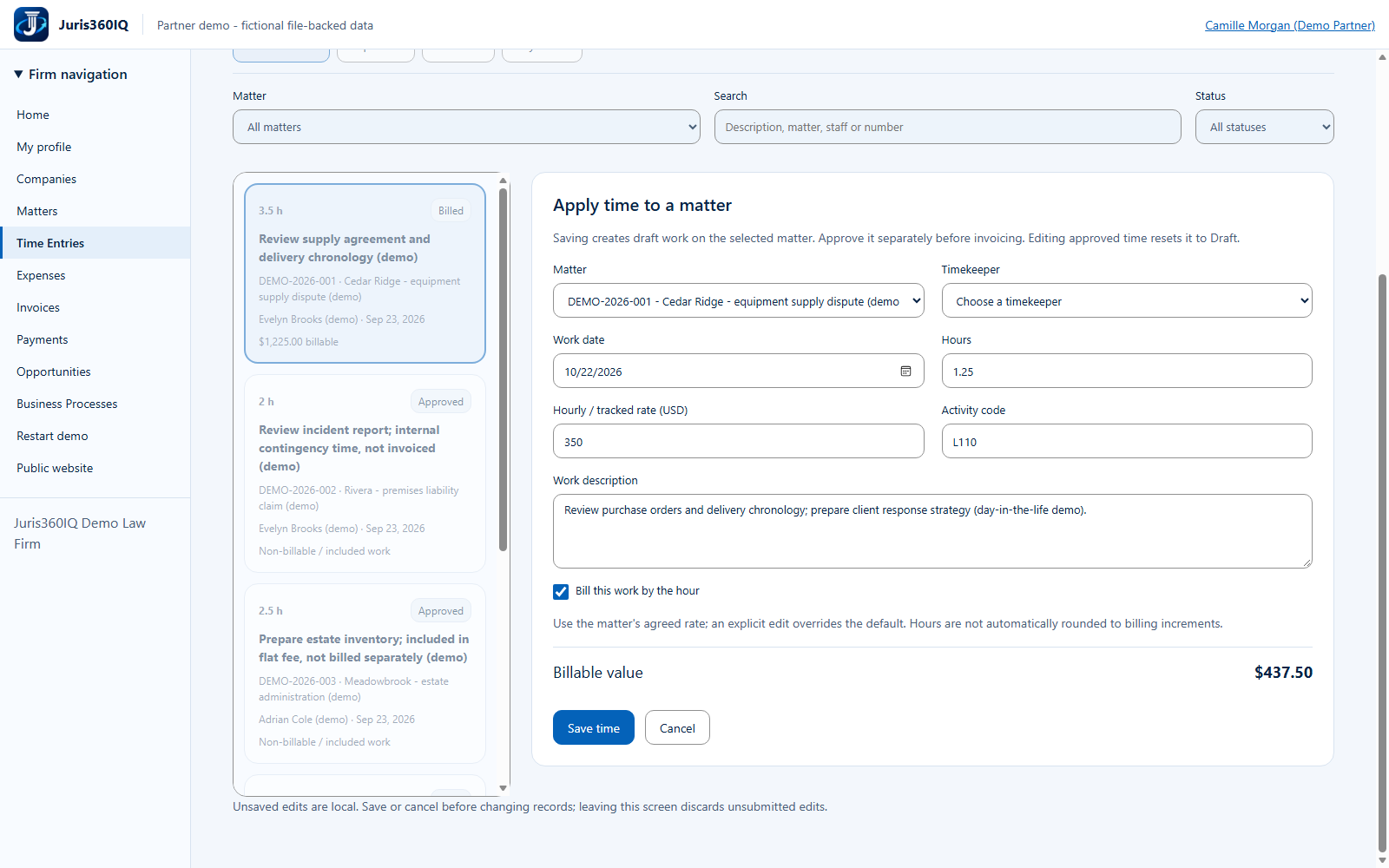
Choose DEMO-2026-001. Enter 1.25 hours at $350, activity L110, and the work description shown. Leave Timekeeper unselected and click Save time to demonstrate validation.
Highlighted controls
- Intentionally missing timekeeper
- 1.25 hours
- Enter a clear work narrative
- Choose DEMO-2026-001
- Enter the agreed $350 matter rate
- Enter activity L110
- Attempt to save incomplete time
Value to the firm
Structured matter, rate and narrative fields help make time entries reviewable and reduce ambiguous billing.
Presenter notes: purpose, business value and limitations
The work date remains the current demo capture date. The $350 rate follows the matter engagement, even though Camille has a different staff default. Bill this work by the hour remains selected. We deliberately omit the timekeeper; the next screenshot shows the actual rejected save. The work description is fictional, not a claim that substantive legal work occurred.
Business value: Structured matter, rate and narrative fields help make time entries reviewable and reduce ambiguous billing.