Guided screenshots, not live forms. Fictional public-demo data. No production account, live AI, email delivery or money movement.
Time capture Step 17 of 33
Review the saved Draft before approval
Your action
Check the saved matter, timekeeper, hours, rate and description. The status is Draft. Click Approve time.
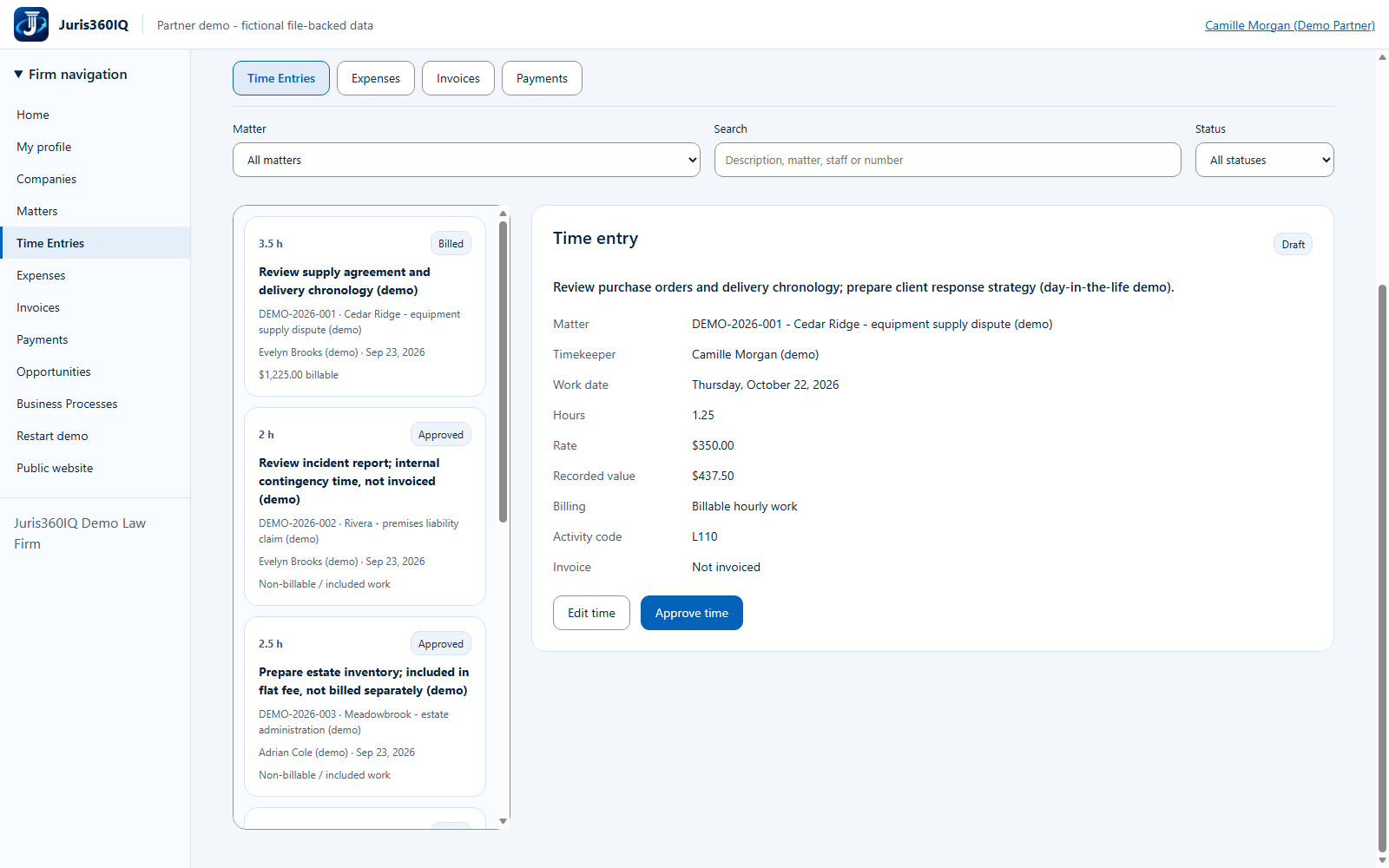
Highlighted controls
- Saved as Draft
- Approve the reviewed time
Value to the firm
Separating save from approval creates an intentional review point before work becomes invoice-eligible.
Presenter notes: purpose, business value and limitations
The saved record is acknowledged by the running demo and appears in the time list. Saving did not approve it. A user with the required privilege now reviews and approves it. In this fictional Partner session Camille can approve the record; this does not prove an enforced two-person approval rule.
Business value: Separating save from approval creates an intentional review point before work becomes invoice-eligible.