Guided screenshots, not live forms. Fictional public-demo data. No production account, live AI, email delivery or money movement.
Time capture Step 18 of 33
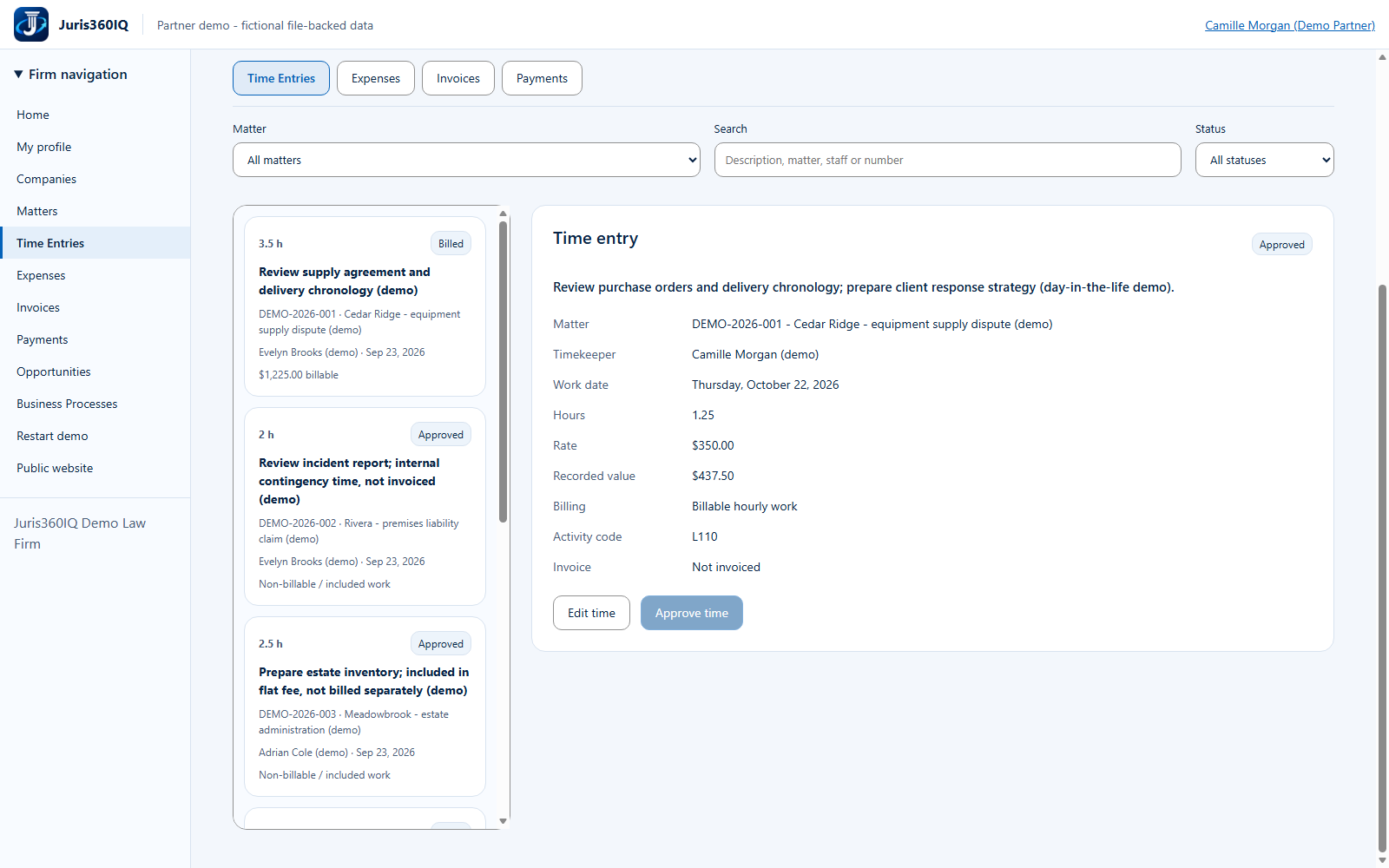
Verify Approved time is ready for billing
Your action
Confirm the Approved badge and $437.50 value. Click Expenses to record a reimbursable cost.
Highlighted controls
- Time is Approved
- Open Expenses
Value to the firm
A visible approval state helps billing staff distinguish review-ready work from unfinished drafts.
Presenter notes: purpose, business value and limitations
The actual record is now Approved and eligible for an hourly invoice if still unbilled. It is not yet invoiced and no client has been charged. If approved time were edited, the shared workflow would require approval again.
Business value: A visible approval state helps billing staff distinguish review-ready work from unfinished drafts.