Guided screenshots, not live forms. Fictional public-demo data. No production account, live AI, email delivery or money movement.
Expense capture Step 20 of 33
Enter the reimbursable courier cost
Your action
Choose DEMO-2026-001 and Camille Morgan. Enter $85, category Courier, and the description shown. Keep Client reimbursable checked; leave the optional receipt unselected. Click Save expense.
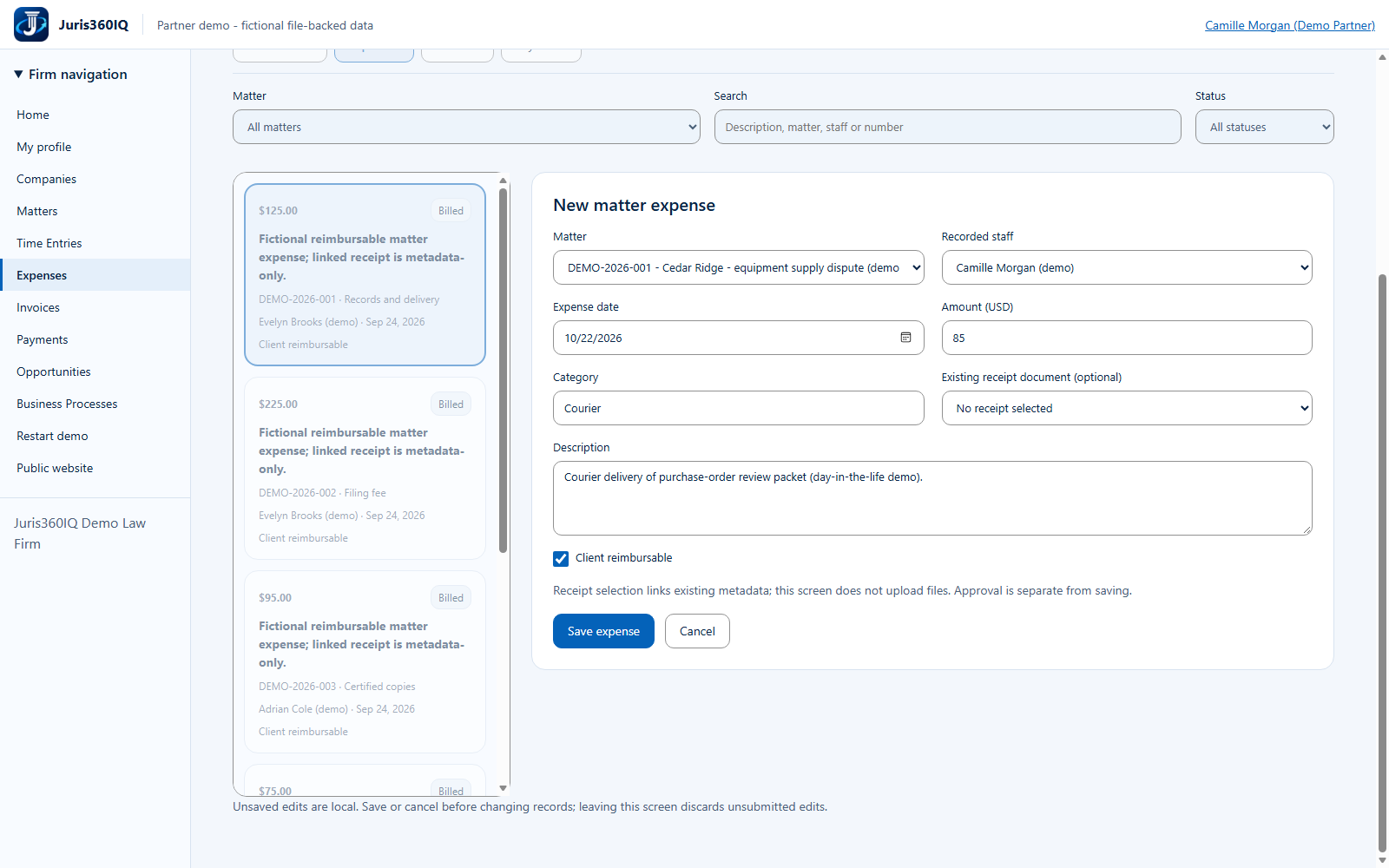
Highlighted controls
- $85 fictional courier cost
- Explain the matter-related cost
- Choose DEMO-2026-001
- Choose Camille Morgan (demo)
- Enter Courier
- Save the expense
Value to the firm
Clear categorization and a matter-linked explanation improve review and reduce coding errors.
Presenter notes: purpose, business value and limitations
The expense date is the current capture date. Receipt selection only links existing metadata and is optional; it does not upload a file. We deliberately leave it unselected rather than imply a real receipt is attached. Saving creates a Draft expense; approval is a separate action.
Business value: Clear categorization and a matter-linked explanation improve review and reduce coding errors.