Guided screenshots, not live forms. Fictional public-demo data. No production account, live AI, email delivery or money movement.
Expense capture Step 21 of 33
Review and approve the saved expense
Your action
Verify the Draft expense is $85, assigned to Cedar Ridge, and reimbursable. Click Approve expense.
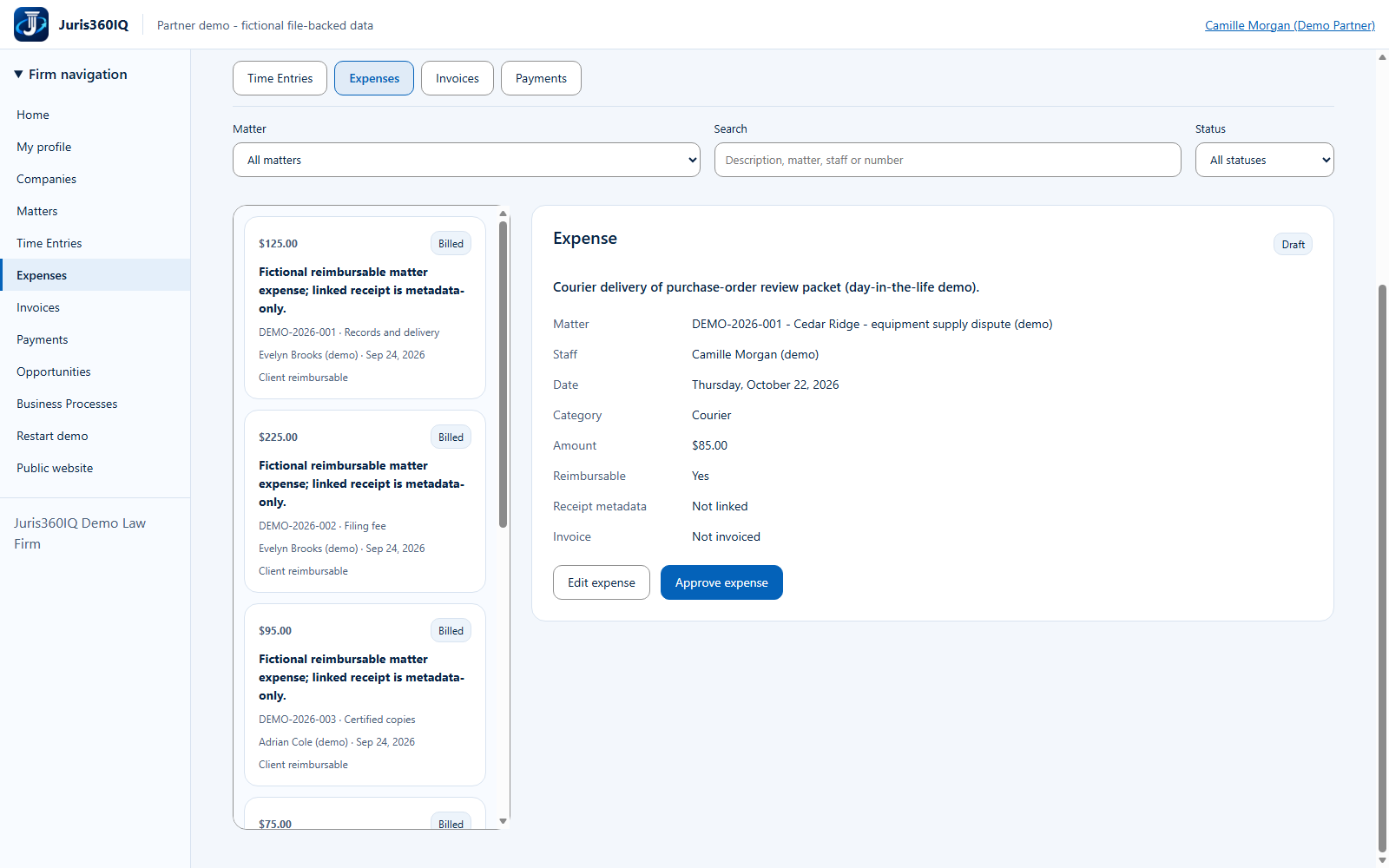
Highlighted controls
- Expense is still Draft
- Approve the reviewed expense
Value to the firm
An approval checkpoint helps catch the wrong amount, matter or reimbursement treatment before billing.
Presenter notes: purpose, business value and limitations
The screenshot is the saved Draft record, not unsaved form data. There is no receipt attachment and none is claimed. The public Partner has the approval privilege; a production firm should apply its own role and approval policy.
Business value: An approval checkpoint helps catch the wrong amount, matter or reimbursement treatment before billing.