Guided screenshots, not live forms. Fictional public-demo data. No production account, live AI, email delivery or money movement.
Billing review Step 24 of 33
Choose the matter, preparer and dates
Your action
Choose DEMO-2026-001 and Camille Morgan. Set issue date 2026-10-22 and due date 2026-11-21. Select the new approved time and courier expense below.
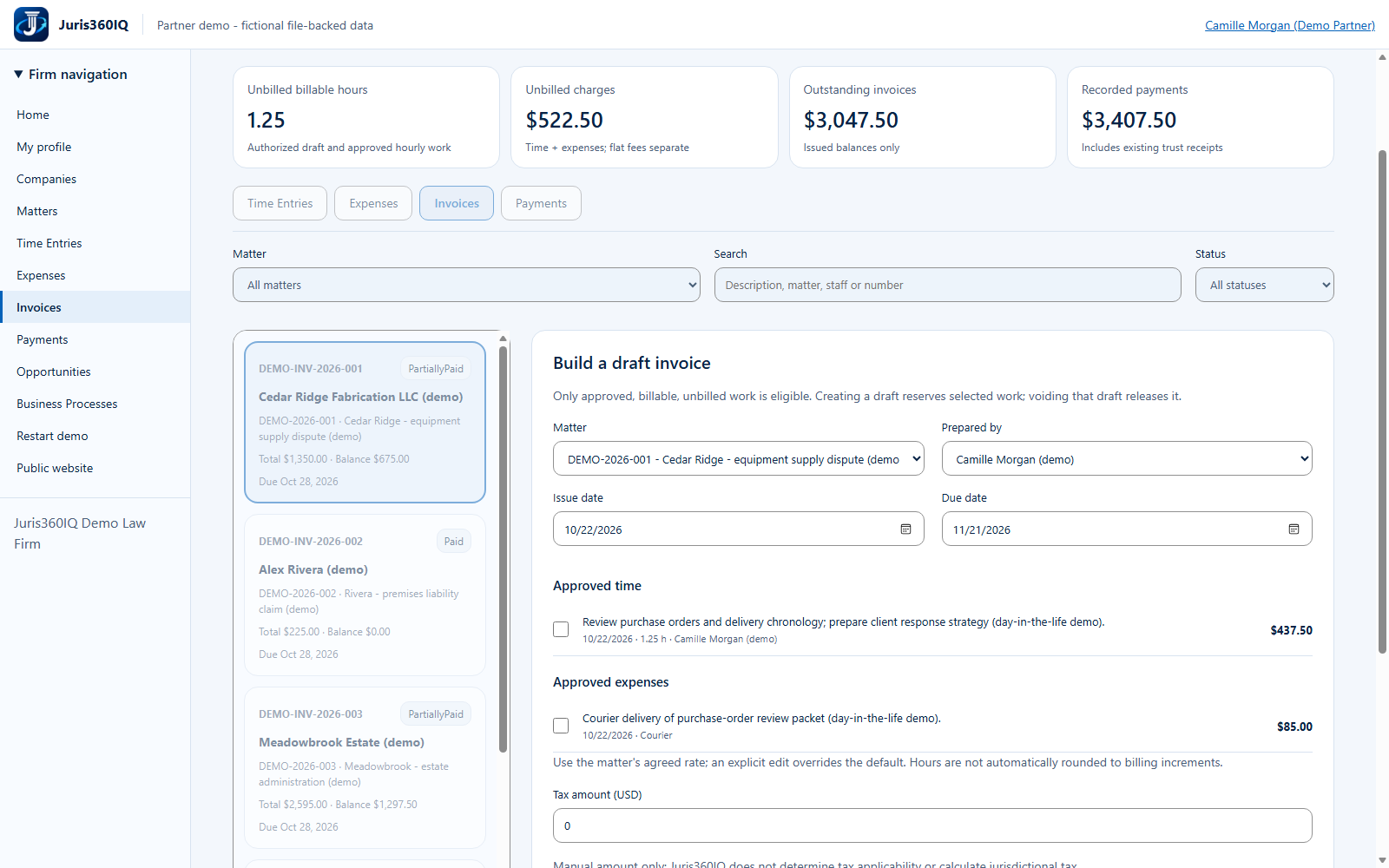
Highlighted controls
- Choose Cedar Ridge
- Review the issue date
- Review the due date
- Choose Camille Morgan (demo)
- Select the new approved source work
Value to the firm
A reviewable invoice header helps avoid billing the wrong client or sending an unintended due date.
Presenter notes: purpose, business value and limitations
The dates are entered in the actual form using the capture day and a 30-day example term, not a rule inferred from the engagement. The fixture contains no tax advice. Only the two new approved source items are selected in the next screen.
Business value: A reviewable invoice header helps avoid billing the wrong client or sending an unintended due date.