Guided screenshots, not live forms. Fictional public-demo data. No production account, live AI, email delivery or money movement.
Receipts and reconciliation Step 32 of 33
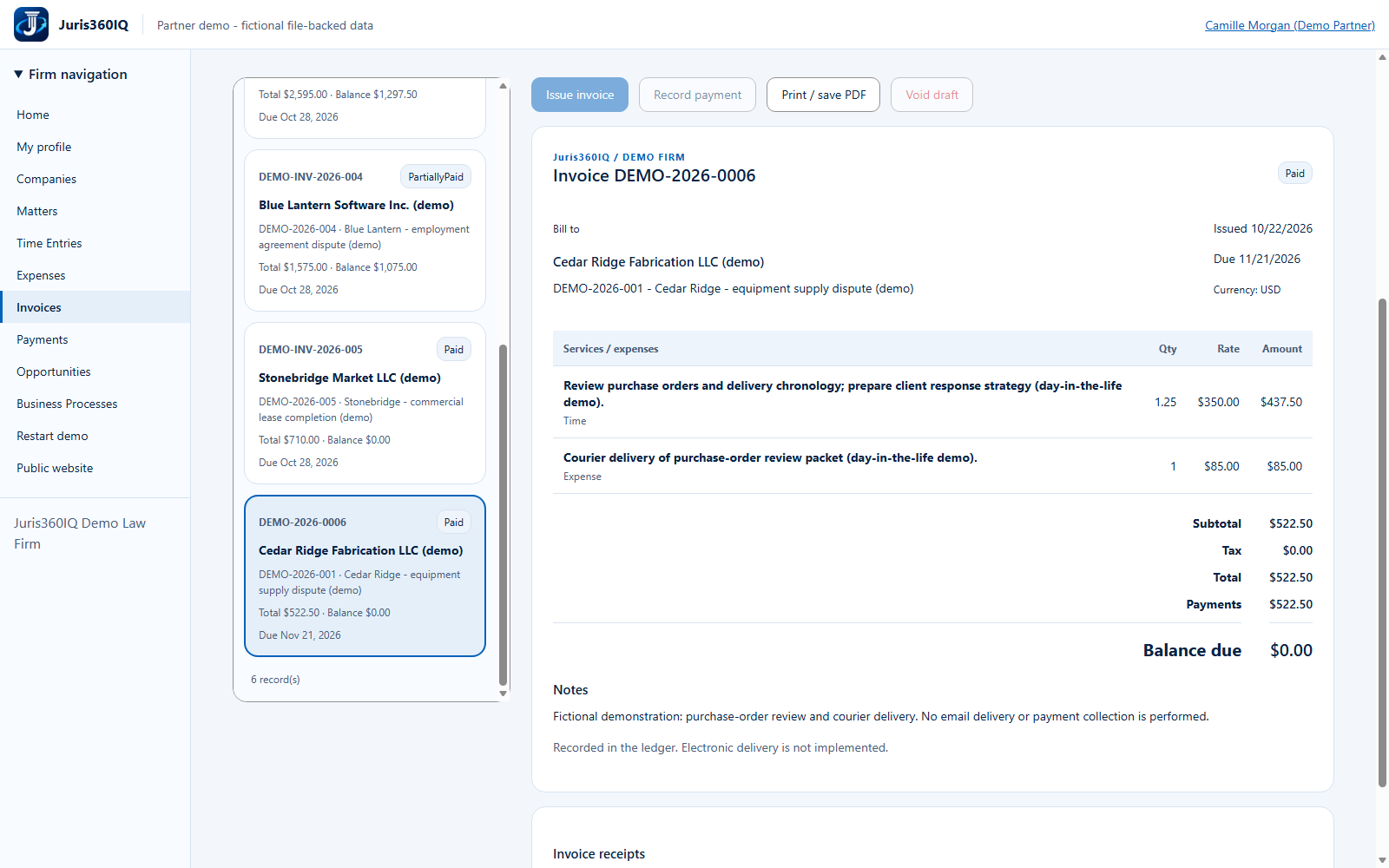
Reconcile the invoice to a zero balance
Your action
Confirm Paid, total $522.50, payments $522.50 and balance due $0. Click Home to finish the day.
Highlighted controls
- Invoice is Paid
- Verify payments and zero balance
- Return to Home
Value to the firm
Reconciling the receipt to the invoice closes the billing loop and reduces uncertainty in client follow-up.
Presenter notes: purpose, business value and limitations
The new invoice is actually Paid in this browser session. Its original approved time and expense sources are now billed. The old fixture invoices and balances are unchanged. This does not settle the underlying legal matter, complete an overdue deadline, transfer trust money or mark all of the client account paid.
Business value: Reconciling the receipt to the invoice closes the billing loop and reduces uncertainty in client follow-up.