Guided screenshots, not live forms. Fictional public-demo data. No production account, live AI, email delivery or money movement.
Receipts and reconciliation Step 31 of 33
Verify the acknowledged receipt
Your action
Review the saved $522.50 receipt, Check method, date, reference and invoice number. Click Invoices to confirm the remaining balance.
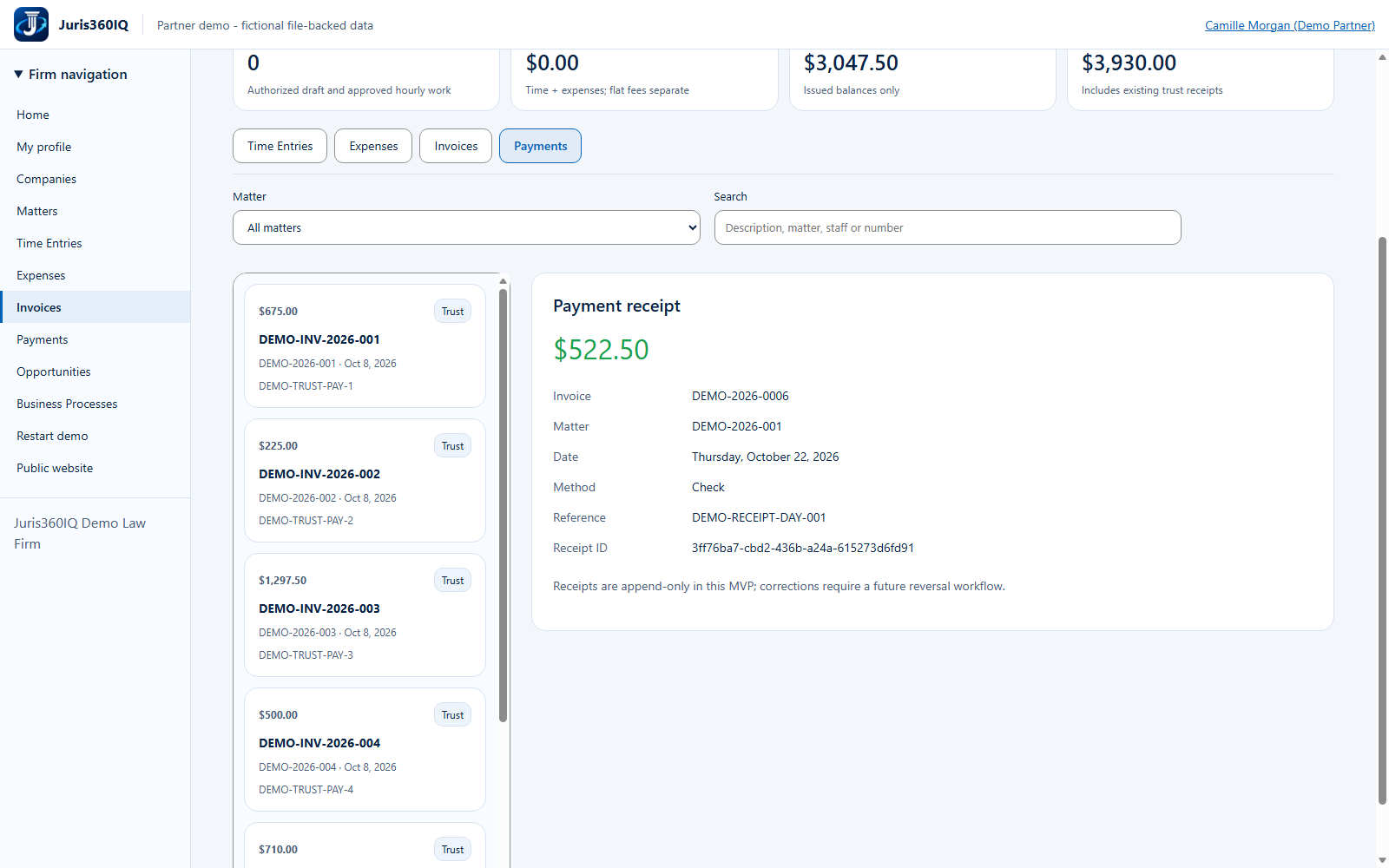
Highlighted controls
- Acknowledged receipt: $522.50
- Verify the invoice balance
Value to the firm
An explicit saved receipt gives billing staff evidence of what was recorded rather than assuming a button click succeeded.
Presenter notes: purpose, business value and limitations
The actual notice confirms that a payment receipt was recorded and the invoice balance updated, with no funds moved. Receipts are append-only in this MVP; correcting an acknowledged receipt requires a future reversal workflow. Do not record the same receipt again just to get another screenshot.
Business value: An explicit saved receipt gives billing staff evidence of what was recorded rather than assuming a button click succeeded.