Guided screenshots, not live forms. Fictional public-demo data. No production account, live AI, email delivery or money movement.
Billing review Step 26 of 33
Inspect the saved invoice before issuing
Your action
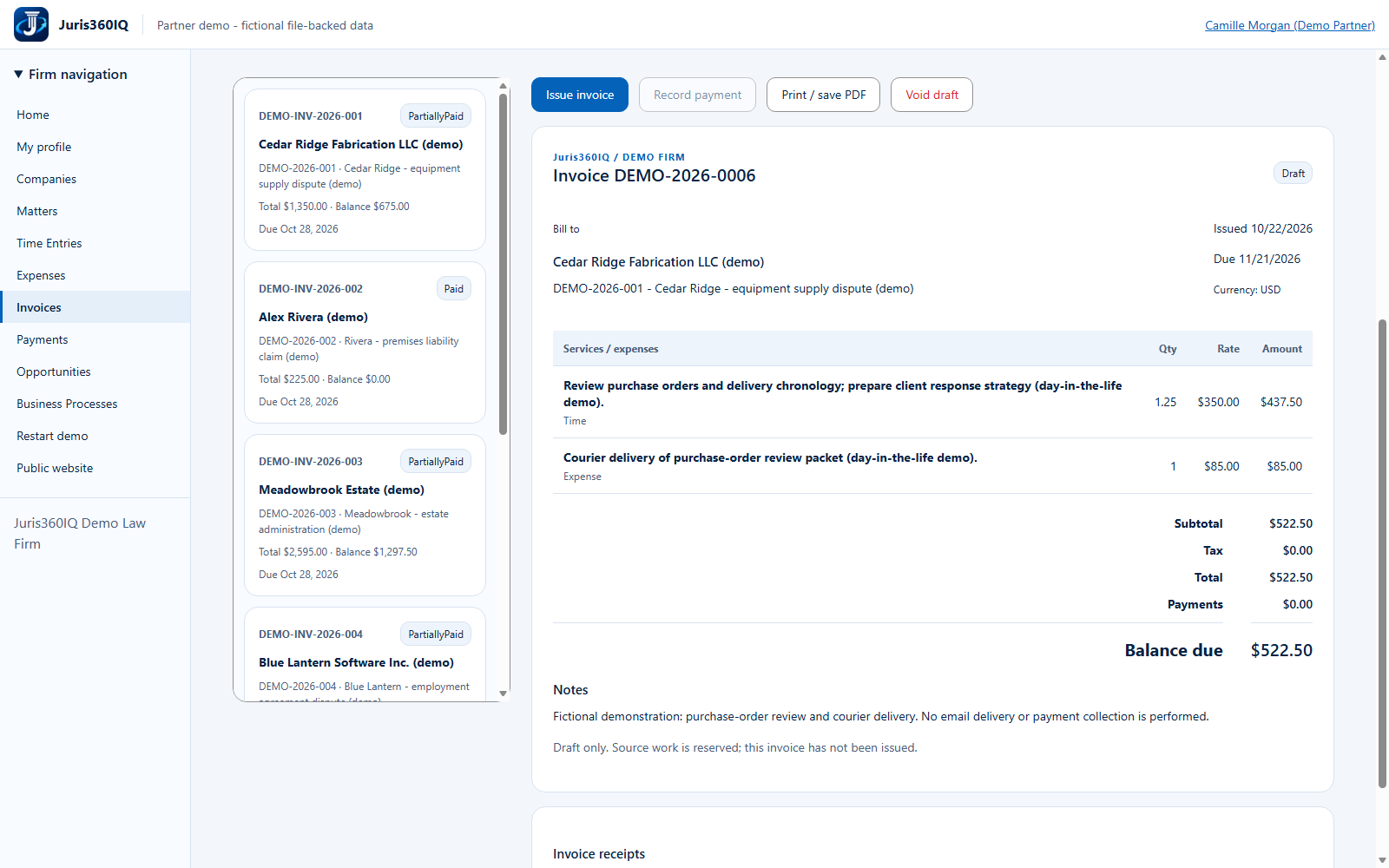
Review DEMO-2026-0006: two source lines, total $522.50 and status Draft. Click Issue invoice only after reviewing the client, dates and amounts.
Highlighted controls
- Review the Draft status
- Verify both lines and $522.50 total
- Issue the reviewed invoice
Value to the firm
A saved draft offers a final review point and keeps billable source work from being selected twice.
Presenter notes: purpose, business value and limitations
This screenshot shows the actual acknowledged draft. The source work is reserved and the invoice has not been issued. The separate issue action is a deliberate commitment to the demo ledger; it does not send an email. Print / save PDF is a browser-print action but is not exercised here.
Business value: A saved draft offers a final review point and keeps billable source work from being selected twice.