Guided screenshots, not live forms. Fictional public-demo data. No production account, live AI, email delivery or money movement.
Receipts and reconciliation Step 28 of 33
A receipt must match the outstanding invoice
Your action
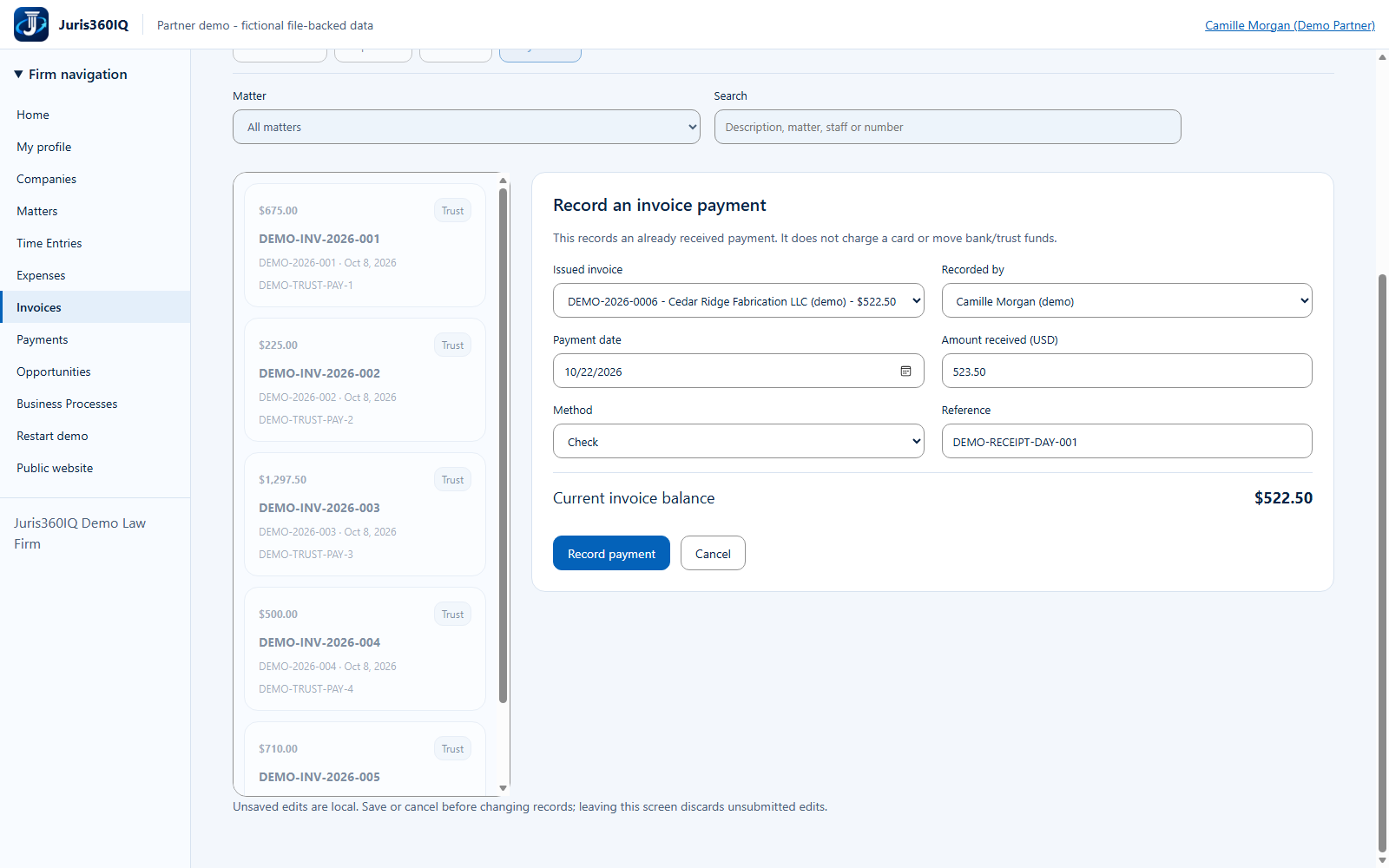
Use the newly issued invoice and Camille Morgan. Choose Check and reference DEMO-RECEIPT-DAY-001. Enter $523.50 against the $522.50 balance, then click Record payment to demonstrate rejection.
Highlighted controls
- Intentionally $1 above the balance
- Outstanding balance: $522.50
- Choose Camille Morgan (demo)
- Choose Check
- Use reference DEMO-RECEIPT-DAY-001
- Attempt the invalid receipt
Value to the firm
An invoice-linked receipt supports reconciliation and can prevent an amount from being applied to the wrong receivable.
Presenter notes: purpose, business value and limitations
We intentionally enter one dollar more than the actual outstanding balance. The method Check is a label for an already received fictional payment; no check is deposited. The reference is fictional and contains no bank or card details. The next screen shows the genuine overpayment rejection.
Business value: An invoice-linked receipt supports reconciliation and can prevent an amount from being applied to the wrong receivable.