Guided screenshots, not live forms. Fictional public-demo data. No production account, live AI, email delivery or money movement.
Receipts and reconciliation Step 30 of 33
Record only the amount actually received
Your action
Confirm $522.50, Check and the fictional reference. Click Record payment once and wait for the acknowledged receipt.
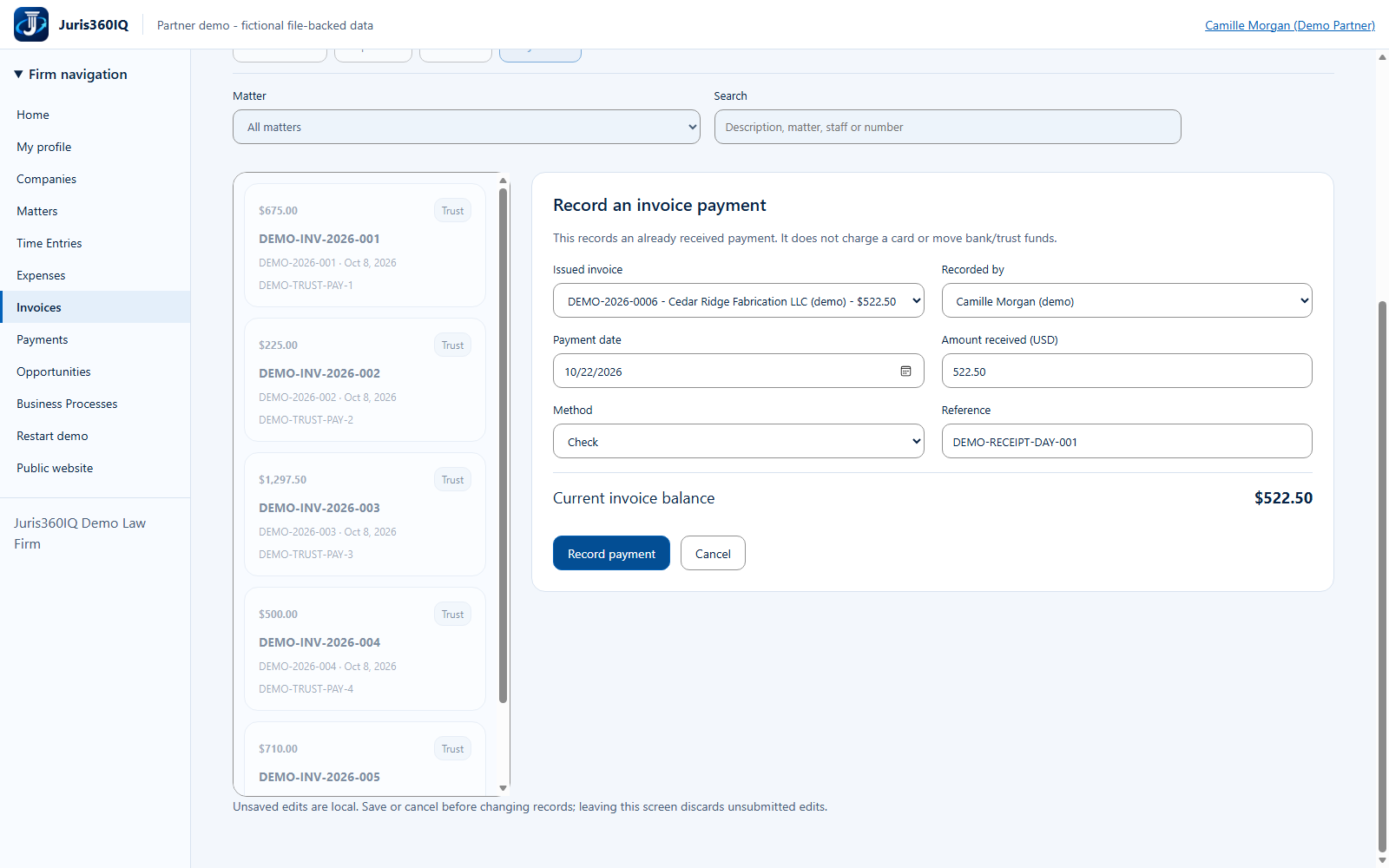
Highlighted controls
- Corrected amount: $522.50
- Fictional receipt reference
- Choose Camille Morgan (demo)
- Choose Check
- Record the corrected receipt once
Value to the firm
A deliberate, invoice-specific receipt provides a clearer audit trail and reduces duplicate entries.
Presenter notes: purpose, business value and limitations
The correction matches the remaining invoice balance exactly. In a real firm, staff must verify the underlying received funds before recording them. The prior error may remain visible while editing; success is confirmed only after the new submit. This action is receipt recording, not payment processing or trust accounting.
Business value: A deliberate, invoice-specific receipt provides a clearer audit trail and reduces duplicate entries.